Your AI trading agent, running on your own phone.
AFEC Terminal turns your Android phone into a 24/7 trading server. Chat with your own Telegram bot in plain words and it trades your MT5 accounts. No VPS, no monthly fee.
Free · Android 10+ · v1.0.0 · 76.3 MB
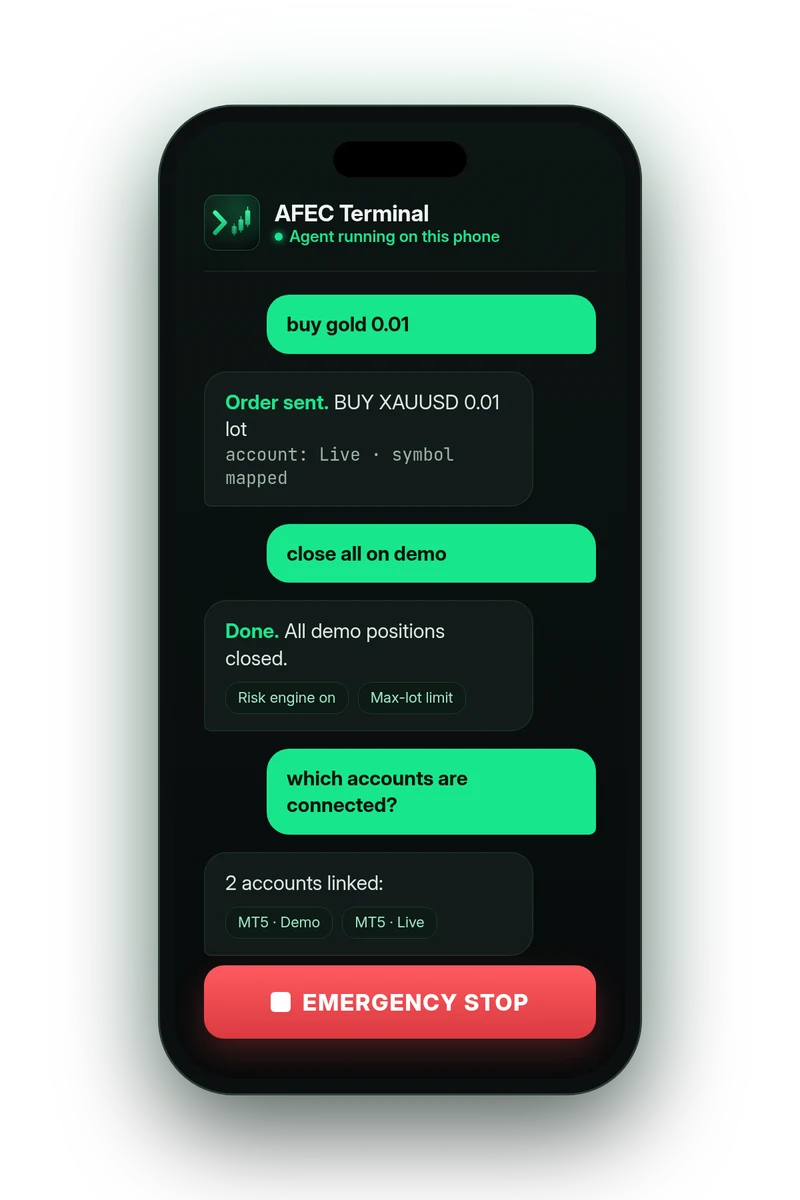
This is what trading looks like.
Real screens from a demo account. Account details are blurred.
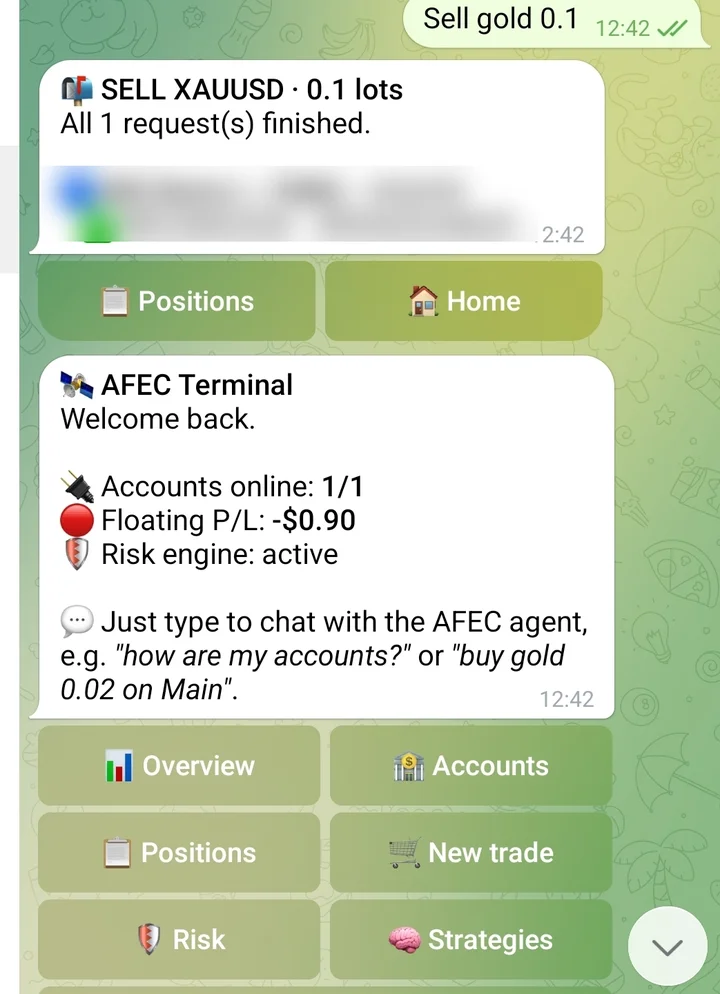
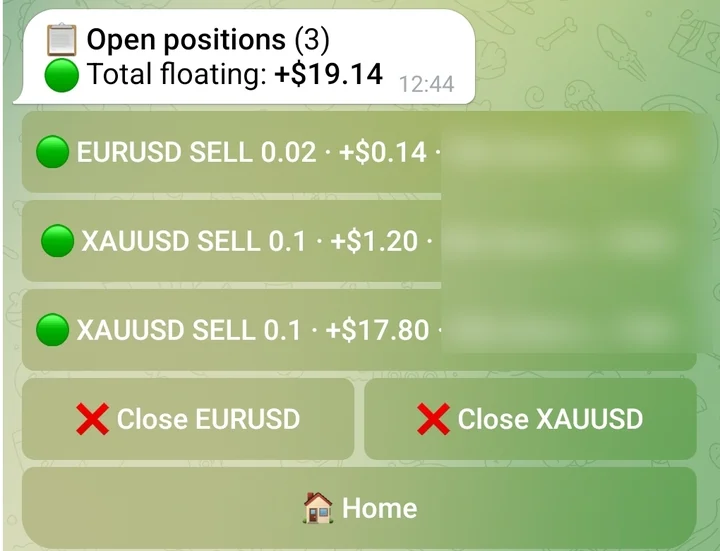
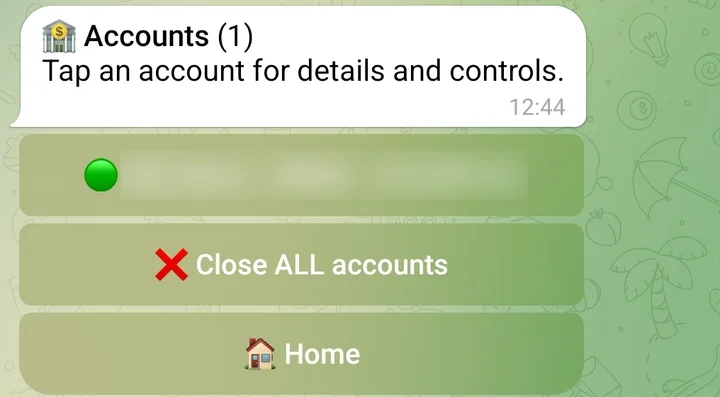
Built so you stay in control.
Orders run as soon as you send them, so the safety limits come first.
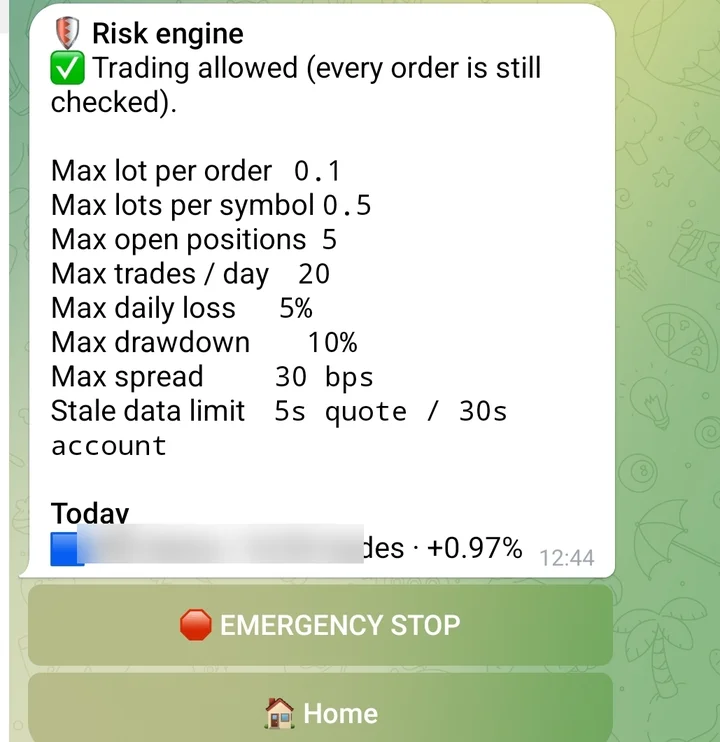
Risk engine with a max-lot limit
Every order is checked before it reaches MT5. Anything above your max lot, or past your other limits, is refused, not sent.
Emergency stop
One command blocks every new order on every account until you turn trading back on.
Plain-word Telegram bot
Type "buy gold 0.01" or "close half my EURUSD". Orders execute right away, with no confirmation step.
Orders run instantly, so set your max lot first.
Many MT5 accounts
Connect demo and live accounts from different brokers and trade them from one chat.
Symbol names handled for you
Say "gold" and it finds XAUUSD, XAUUSD.m or whatever your broker calls it, separately for each account.
Free AI or your own key
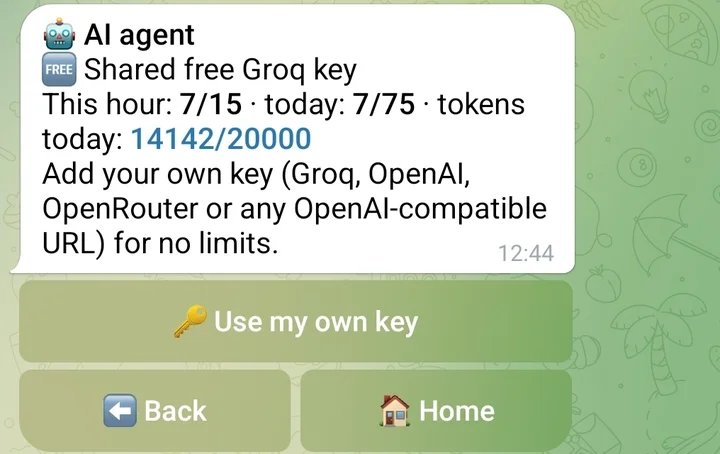
Use the free AI tier (15 requests an hour), or add your own key from Groq, OpenAI, OpenRouter or any OpenAI-compatible service.
Encrypted credentials
MT5 passwords, your bot token and AI keys are encrypted and stay on your phone.
Up and running in 5 steps.
Start on a demo account first. It takes about five minutes.
Install the app
Download the APK and open it. If Android asks, allow installs from your browser. See the install tips.
Allow background running
Tap Allow for battery and notifications so Android doesn't pause the server.
Add your MT5 account
Enter login, password and server, like
MetaQuotes-Demo. The app tests it before saving.Create your Telegram bot
Message @BotFather, send
/newbotand paste the token in the app.Pair and start
Send the pairing code to your bot, tap Start server, and start chatting. See it in Telegram.
Built by traders, for traders who want control.
We're AFEC, the team behind Afec AI. AFEC Terminal grew out of our own desk: one place to run several MT5 accounts with strict risk limits, driven from Telegram. Now it runs on a phone, so nobody has to rent a server to use it.
Questions traders ask.
Is it really free?
Yes. The app is free and there's no server to pay for. The free AI tier allows 15 AI requests an hour. Add your own AI key to remove that limit. Buttons and plain commands like "buy gold 0.01" always work.
Where do my AI chats go?
On the free tier, your AI chats go from the app through 1master.xyz to Groq, the AI provider, and the answer comes back the same way. If you add your own AI key, your chats go to the provider you chose instead.
Does my phone need to stay on?
Yes. Your phone is the server, so it needs power and internet. Keep it charging and exempt it from battery optimisation. If the phone is off, the bot can't trade.
Will it trade without asking me?
Orders you send to your bot execute right away, with no confirmation step, as long as they pass your risk limits. Live accounts only trade after you switch them on, and the emergency stop blocks everything.
Which brokers work?
Any MT5 account your broker offers through an MT5 web terminal. MetaQuotes servers work by name. For other brokers, paste the web terminal link from your broker's site.
What if my phone loses internet?
While your phone is offline, your bot can’t receive your messages or place trades. When it’s back, the risk engine still checks every order and refuses it if price or account data is missing or out of date, so it never trades on old prices. Positions you already have stay open at your broker, along with any stop loss or take profit set on them.
Does it work on iPhone?
Not yet. AFEC Terminal is Android only, on Android 10 and newer.
Has it been tested on my phone?
It's a new release, so we haven't tested it on many devices yet. Try it on a demo account first, and tell us if something doesn't work on your phone.
How do I know the download is safe?
Compare the SHA-256 checksum below with the file you downloaded. The APK is signed with the AFEC Terminal release key, and its certificate fingerprint is listed next to the download button so you can check it with apksigner verify --print-certs.
Put your trading server in your pocket.
Free for Android 10 and newer. One universal APK for every phone type.
Download AFEC Terminal v1.0.0 · 76.3 MBTrading leveraged products carries a high risk of loss. Orders run instantly, so set your max lot and test on a demo account first.
52fb4d36e96f66137101bb6c5e4157a03b23c9f855381391c14093cb5ec0091794ff5cde43493248ccb6687a704697ffbd4d7ec94df1f13785d3a17e5b10b9e1Install tips
- When Android warns about installing from unknown sources, tap Settings and turn on Allow from this source for your browser or file manager, then go back and tap Install.
- After installing, open the app and tap Allow next to battery optimisation, or go to Settings, Apps, AFEC Terminal, Battery and pick Unrestricted, so Android doesn't stop the server.
- Allow notifications too. The app shows one while the server is running.